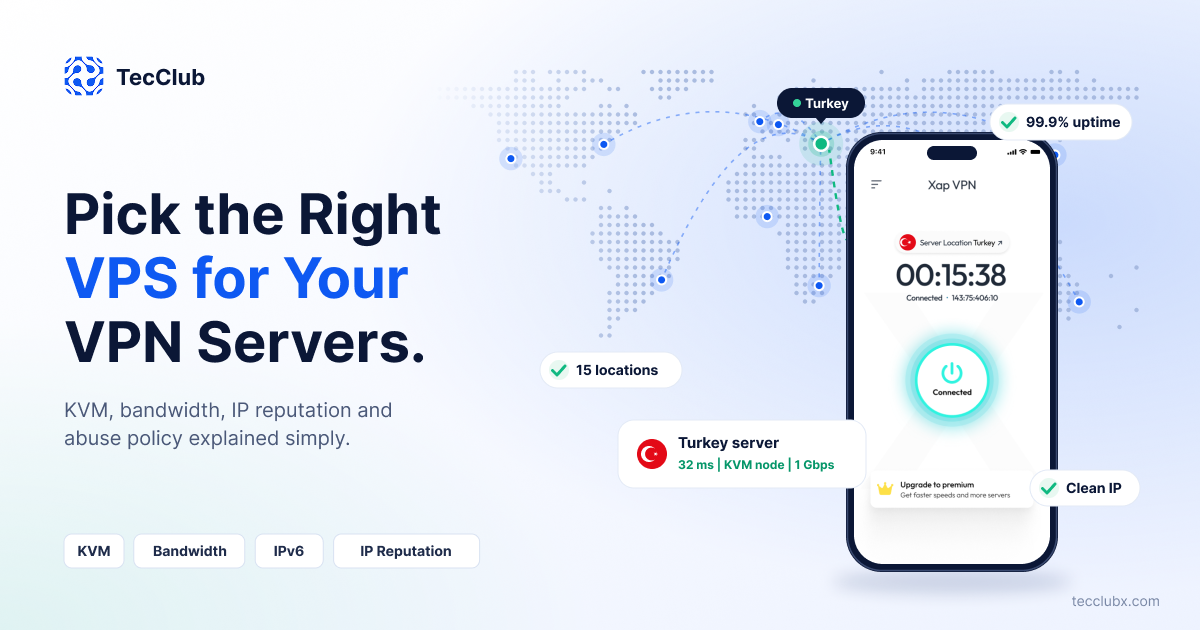
Your VPN app can have the best design and the strongest protocols, but if your servers are slow or unstable, users will still leave. Most VPN complaints, such as slow speed, random disconnects and blocked websites, start at the server, not in the app. That is why choosing the right VPS provider is one of the most important decisions for any VPN business.
At TecClub, we build VPN apps and backends for our own products and for clients, so we deal with VPN servers every day. In this guide, we explain in simple words what to check before you buy a VPS for your VPN servers, which red flags to avoid, and how to test a provider before you commit.
Why the VPS Choice Matters for a VPN
A normal website can run on almost any server. A VPN is different. It moves all of a user's traffic, it runs for many hours without a break, and it needs the right kernel features. A weak or wrongly chosen VPS can limit your speed, block your protocols or even get your IP addresses flagged. Fixing this later means moving servers, changing DNS and updating apps, which costs time and users.
1. Virtualization: Choose KVM
The type of virtualization decides what your VPN server can do. The two types you will see most often are KVM and OpenVZ.
- KVM gives each VPS its own kernel. TUN/TAP devices are available, you can load kernel modules and you can use modern protocols without limits.
- OpenVZ shares the kernel of the host server. Features like TUN/TAP may need to be enabled by the provider, and custom kernel modules are limited.
For VPN servers, KVM is the safer choice. WireGuard works in the kernel and OpenVPN needs TUN devices, so you want full control. Many providers are also moving away from OpenVZ. Whatever the provider says, ask clearly: "Does this plan support TUN/TAP and WireGuard?" and test it on a trial before you buy many servers.
2. Bandwidth and Port Speed
Bandwidth is where many VPN businesses make mistakes. There are two things to check: the port speed and the monthly traffic limit.
Size for the peak, not the average
Your server must handle the busiest time of the day, not only the average. As a simple example, if 200 users are connected at the same time and each uses about 3 Mbps, you need around 600 Mbps at peak. A 1 Gbps port gives you comfortable room. A 100 Mbps port would become the bottleneck very fast.
Metered or unmetered
Some plans give a fixed amount of monthly traffic, and extra traffic costs more. VPN servers use a lot of data, so a metered plan can turn into a surprise bill. An unmetered or very high limit plan is usually easier to plan, but read the fair-use rules carefully. "Unlimited" sometimes comes with speed limits after a certain usage.
3. Network Quality and Server Location
Server specs like CPU and RAM matter less than the quality of the network. Two servers with the same specs can give very different speeds, because of how the provider connects to other networks.
- Choose locations where your users actually are, or where they want to connect to.
- Look for providers with good connections to big consumer internet providers, because congested routes add delay.
- Test the real speed and ping from your target countries instead of trusting the marketing page.
You can read more about this in our guides on how VPN server locations affect user experience and how global server networks improve VPN performance.
4. IP Reputation
Your users do not only want a fast VPN. They want websites and streaming apps to work. If the IP address of your server has a bad history, many services will show captchas or block it. This is why IP reputation is very important for a VPN exit server.
- Check the IP on public blocklists before you use it.
- Ask if the IP range is shared with other customers. If one neighbor behaves badly, the whole range can get a bad name.
- Check that the IP location in public databases matches the real server location.
- Look at the reverse DNS (PTR record). A generic name can make the address look like normal hosting infrastructure.
- Test the IP from a real device with the apps and websites your users care about.
5. Abuse Policy and Terms of Service
This point is often missed. Some providers do not allow VPN or proxy services in their terms, and some will suspend a server quickly after the first abuse report. A suspended server in the middle of the month means angry users and lost time.
- Read the Terms of Service and check that VPN use is allowed.
- Check that the provider has a clear abuse contact and forwards reports to you with time to respond.
- Ask in writing what happens after the first abuse report.
- Remember that outbound email (port 25) is usually blocked, which is fine for VPN use.
6. Privacy, Logging and Jurisdiction
If you promise privacy to your users, your server provider is part of that promise. Know in which country the provider operates and which laws apply there. Keep only the logs that your privacy policy says you keep, and make sure you can answer abuse reports within the time you keep records. Your privacy policy and your real setup must match, because app stores also check this, as we explain in our guide on passing App Store and Google Play review for a VPN app.
7. DDoS Protection and Stability
VPN servers can be targets of attacks, and a server that goes offline loses users quickly. Ask what kind of DDoS protection is included, whether it costs extra, and what the provider promises about uptime. Do not only trust numbers on a website. Look for real user feedback and test the server for a few weeks before you add it to your main pool.
8. Technical Details That Often Cause Problems
- IPv6: Either support it properly or block it clearly. Wrong IPv6 setup can leak traffic outside the tunnel.
- Connection tracking: A busy VPN server opens many connections. Make sure the limit is high enough, because it often becomes a problem before bandwidth does.
- MTU and MSS: Wrong values cause slow pages and broken connections on some networks. Test and adjust them.
- Snapshots and API: If your provider has snapshots and an API, you can copy a working server in minutes and scale much faster.
Quick Comparison: What to Look For and What to Avoid
| Factor | What to look for | Red flag |
|---|---|---|
| Virtualization | KVM with TUN/TAP and WireGuard support | Shared kernel with limited modules |
| Port speed | 1 Gbps or higher, sized for peak users | Shared 100 Mbps port |
| Bandwidth | Unmetered or very high limit with clear rules | Low cap with high overage price |
| Network | Good routes to your target countries | Heavy congestion at peak hours |
| IP reputation | Clean IPs, not on blocklists | Shared range with a bad history |
| Abuse policy | VPN allowed, monitored abuse contact | Instant suspension without notice |
| DDoS and uptime | Clear protection and uptime promise | No details, no real reviews |
| Scaling | Snapshots, API, easy to add servers | Manual setup for every server |
VPS or Dedicated Server?
A VPS is a good start for small and medium VPN networks. It is cheaper, quick to deploy and easy to move. When one location grows and needs a lot of traffic, a dedicated server can give you more stable performance. Many VPN businesses use a mix: VPS servers for most locations and dedicated servers for the busiest ones.
How to Test a VPS Before You Commit
- Order one server first, not ten.
- Check that TUN/TAP works and install WireGuard and OpenVPN.
- Run a speed test with a tool like iperf3 from different countries.
- Check the IP on blocklists and in location databases.
- Connect with a real app and open the websites and apps your users need.
- Run it for one to two weeks and watch uptime, speed and any abuse messages.
After you go live, keep watching every server and every protocol. A server can be online and still have a broken protocol or a wrong exit IP. This is exactly what our monitoring tool does. Read more in our post on VPN server monitoring with ExitProbe.
Frequently Asked Questions
Is KVM really required for a VPN server?
It is the safer choice. KVM gives you your own kernel and full TUN/TAP support, which makes WireGuard and OpenVPN work without limits. Some other virtualization types can work, but they often need extra setup or support from the provider.
How much bandwidth does a VPN server need?
It depends on how many users connect at the same time and how much each user uses. Multiply the number of peak users by the average speed per user, then add some extra room. A 1 Gbps port is a common starting point for a busy location.
Can I use one VPS provider for all locations?
You can, but it is risky. If that provider has a problem, your whole network is affected. Many VPN businesses use two or more providers so they can move users quickly when needed.
Why do some of my VPN IPs get blocked by websites?
It is usually IP reputation. The address may be on a blocklist, shared with bad neighbors or listed in a location database with a wrong country. Check the IP before you use it and again from time to time.
Planning a VPN Network?
TecClub builds complete VPN solutions, from apps and admin panels to server setup and deployment. Our team can help you plan locations, choose the right infrastructure and launch faster.
This article is for general guidance. Provider features and prices change often, so always check the latest details and terms before you buy.