
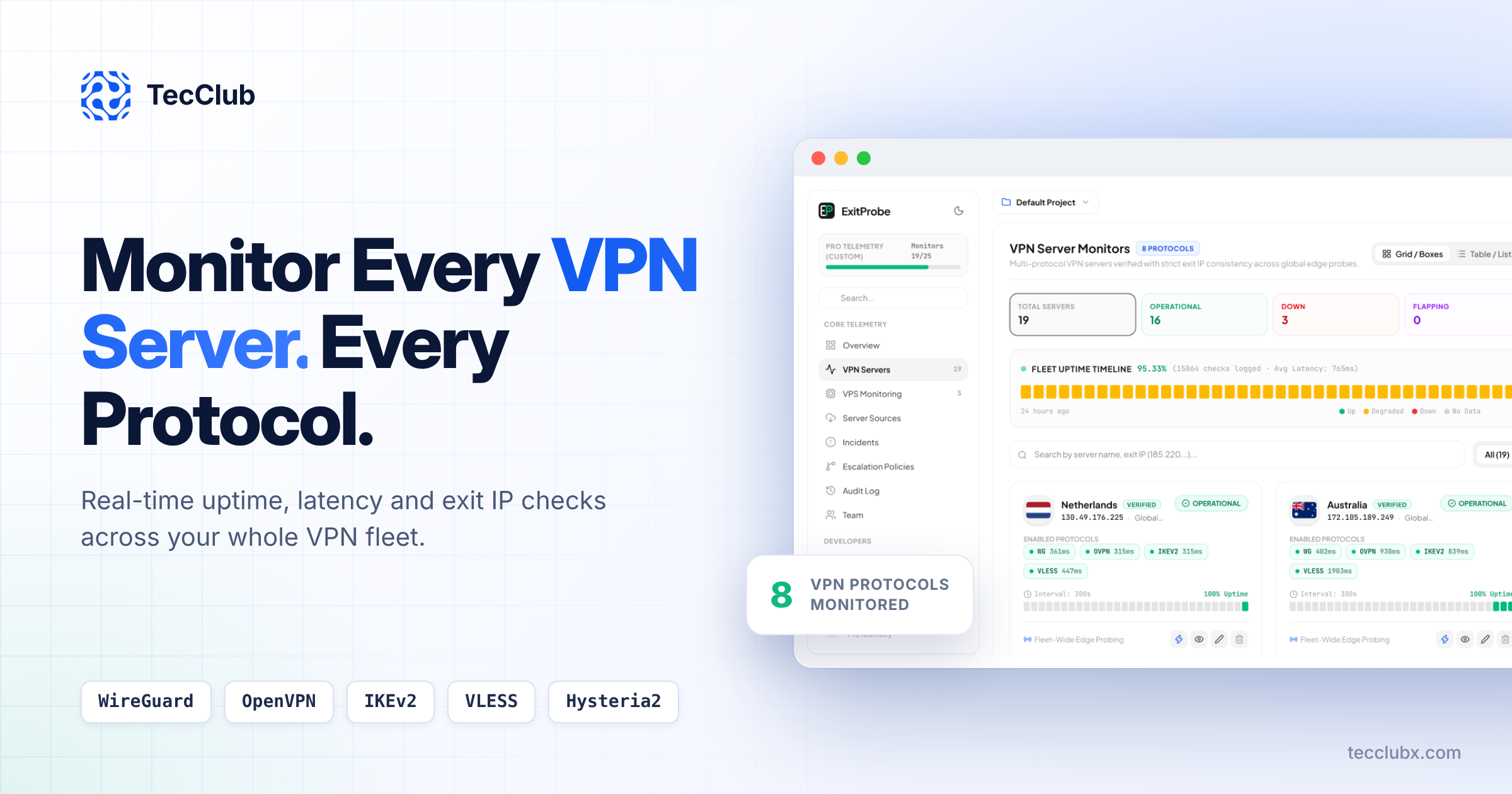
Running a VPN service means running dozens of servers across many countries and protocols. When one of them fails, your users notice before you do. ExitProbe is a multi-protocol VPN server monitoring platform built by TecClub that checks every server, every protocol and every exit IP, so you can find problems before they turn into support tickets and bad reviews.
In this guide, we explain why standard uptime tools are not enough for VPN providers, what ExitProbe monitors, and how it helps VPN businesses, resellers and white-label partners keep their networks reliable.
Why VPN Server Monitoring Is Different
A normal website monitor sends a request to a URL and checks if it responds. That works for a website, but a VPN server is more complex. A single VPN server can run several protocols at once, and each protocol can fail on its own.
A server can be "up" and still broken
Your server can answer a ping while WireGuard is down, OpenVPN is timing out, or VLESS is blocked in one region. A basic uptime tool will show green while your users cannot connect. For a VPN provider, the real question is not "is the server online?" but "can a user connect through this protocol and reach the internet through the right exit IP?"
Exit IP problems hurt trust
Users pick a location because they want a specific exit IP. If a server in the Netherlands suddenly exits through a different IP or a different country, the user gets the wrong location, streaming services may block them, and your brand looks unreliable. These issues are almost invisible without exit IP checks.
Latency matters as much as uptime
A server that connects but takes nearly two seconds to respond feels broken to the user. VPN users judge your service by speed. You need latency data per server and per protocol, not just a simple online or offline status.
What Is ExitProbe?
ExitProbe is a VPN server monitoring dashboard designed for teams that manage VPN fleets. It connects to your servers through each enabled protocol, measures latency, and verifies that traffic leaves through the expected exit IP. All results come together in one clear dashboard.
Instead of switching between server panels, terminal sessions and separate tools, your team gets one place to see the health of the whole network.
Key Features of ExitProbe
1. Multi-protocol monitoring
ExitProbe supports 8 VPN protocols, including WireGuard, OpenVPN, IKEv2, VLESS and Hysteria2. Each protocol on each server is tested separately, and you can filter the dashboard by protocol to see, for example, only your WireGuard servers. If one protocol fails while others work, you see it right away.
2. Exit IP verification
Every check confirms that the server exits through the correct IP address. ExitProbe uses global edge probes to verify exit IP consistency, and servers that pass are marked as verified. If the exit IP changes, the server is flagged as IP Mismatched, so you can fix routing or provider issues before users complain.
3. Per-protocol latency tracking
Each server card shows the latency of every enabled protocol in milliseconds. This makes it easy to spot slow servers, compare protocols on the same server, and decide which protocol to recommend to users in each region.
4. Clear server status at a glance
ExitProbe groups your fleet into simple status categories at the top of the dashboard:
- Operational: the server and its protocols are working normally.
- Down: the server is not reachable or connections are failing.
- Flapping: the server keeps switching between up and down.
- Degraded: the server works but performance is below normal.
- IP Mismatched: the exit IP does not match the expected address.
With one look, your team knows how many servers need attention.
5. Fleet uptime timeline
The fleet uptime timeline shows the health of your whole network over the last 24 hours, 7 days, 30 days or 90 days. It also shows the overall uptime percentage, the number of checks logged and the average latency. This is useful for daily operations and for reporting to clients or partners.
6. Scheduled checks
Each server is checked on a set interval, for example every 300 seconds. Every server card includes its own uptime bar, so you can see when problems started and how long they lasted.
7. Incidents and escalation policies
Monitoring is only useful if the right person reacts in time. ExitProbe includes incident tracking and escalation policies, so problems are recorded and routed to the right team member instead of getting lost.
8. VPS monitoring, team access and audit log
Beyond VPN protocols, ExitProbe can also monitor the VPS machines behind your network. Team management lets multiple people work in the same dashboard, and the audit log keeps a record of changes, which is important for larger teams and client projects.
9. Bulk import and flexible views
Adding servers one by one takes time. With bulk import, you can add many servers at once. You can switch between a grid view with detailed server cards and a table view for large fleets, and organize servers into projects.
ExitProbe vs Basic Uptime Monitoring
| Feature | Basic uptime tool | ExitProbe |
|---|---|---|
| Checks if the server is online | Yes | Yes |
| Tests each VPN protocol separately | No | Yes |
| Verifies the exit IP | No | Yes, with global edge probes |
| Latency per protocol | No | Yes |
| Detects flapping and degraded servers | Limited | Yes |
| Fleet-wide uptime timeline | Limited | 24h, 7d, 30d and 90d |
| Built for VPN providers | No | Yes |
Want to see these features on your own servers? Book a free ExitProbe demo with our team.
Who Should Use ExitProbe?
VPN service providers
If you run a consumer or business VPN, ExitProbe helps you keep every location working and reduce support tickets caused by dead or slow servers.
White-label VPN partners and resellers
If you sell a white-label VPN under your own brand, you need proof that the network is reliable. Uptime and latency data from ExitProbe helps you manage quality and answer client questions with real numbers.
Infrastructure and DevOps teams
Teams that manage many servers across hosting providers can use ExitProbe to catch routing issues, IP changes and protocol failures early, instead of finding them through user complaints.
How ExitProbe Helps Your Business
- Fewer support tickets: fix broken servers before users report them.
- Better app reviews: stable connections and good speed lead to happier users.
- Faster troubleshooting: see exactly which server and which protocol has a problem.
- Smarter server decisions: use latency and uptime history to choose better locations and hosting providers.
- Clear reporting: share real uptime numbers with partners and clients.
Built from Real VPN Experience
TecClub builds VPN apps, VPN backends and white-label VPN solutions for clients around the world, and we run our own VPN products used by over one million people. We work with WireGuard, OpenVPN, IKEv2, V2Ray, VLESS, Hysteria2 and more every day.
ExitProbe came from that work. We needed a monitoring tool that understood VPN protocols and exit IPs, not just web pages. Now we are bringing it to other VPN businesses that face the same challenges.
Book a Free ExitProbe Demo
The best way to understand ExitProbe is to see it working on real VPN servers. Book a free live demo with the TecClub team, and we will walk you through the platform step by step.
What you will see in the demo
- How to add your VPN servers, one by one or with bulk import
- Live multi-protocol checks for WireGuard, OpenVPN, IKEv2, VLESS and more
- Exit IP verification and how IP mismatch alerts work
- The fleet uptime timeline, latency tracking and incident handling
- How ExitProbe can fit your VPN or white-label VPN business
The demo is free, takes around 30 minutes, and there is no obligation. Just fill in the short form, mention "ExitProbe Demo" in your message, and our team will contact you to schedule a time that works for you.