Some networks are simply bad. Mobile data that drops packets every few seconds, hotel Wi-Fi shared by two hundred guests, long-distance links where the server is on the other side of the world. On these networks, many VPN protocols slow to a crawl, even when the server itself is fast.
Hysteria2 was built for exactly these conditions. It is a newer proxy protocol that runs over QUIC and is designed to keep speed high on lossy, unstable networks. This guide explains how Hysteria2 works, where it beats protocols like WireGuard and VLESS, where it does not, and how to add it to a VPN app.
What Is Hysteria2?
Hysteria2 is an open source protocol from the Hysteria project. It runs on top of QUIC, the same transport that powers HTTP/3, so its traffic travels over UDP and is encrypted with TLS. To a network observer, a Hysteria2 connection can look much like normal HTTP/3 traffic to a website.
It is not a classic VPN protocol like WireGuard or OpenVPN. It is a proxy protocol, usually used inside a VPN app through a core such as Sing-box, which turns the app's tunnel traffic into Hysteria2 connections to your server.
Why Hysteria2 Is Fast on Bad Networks
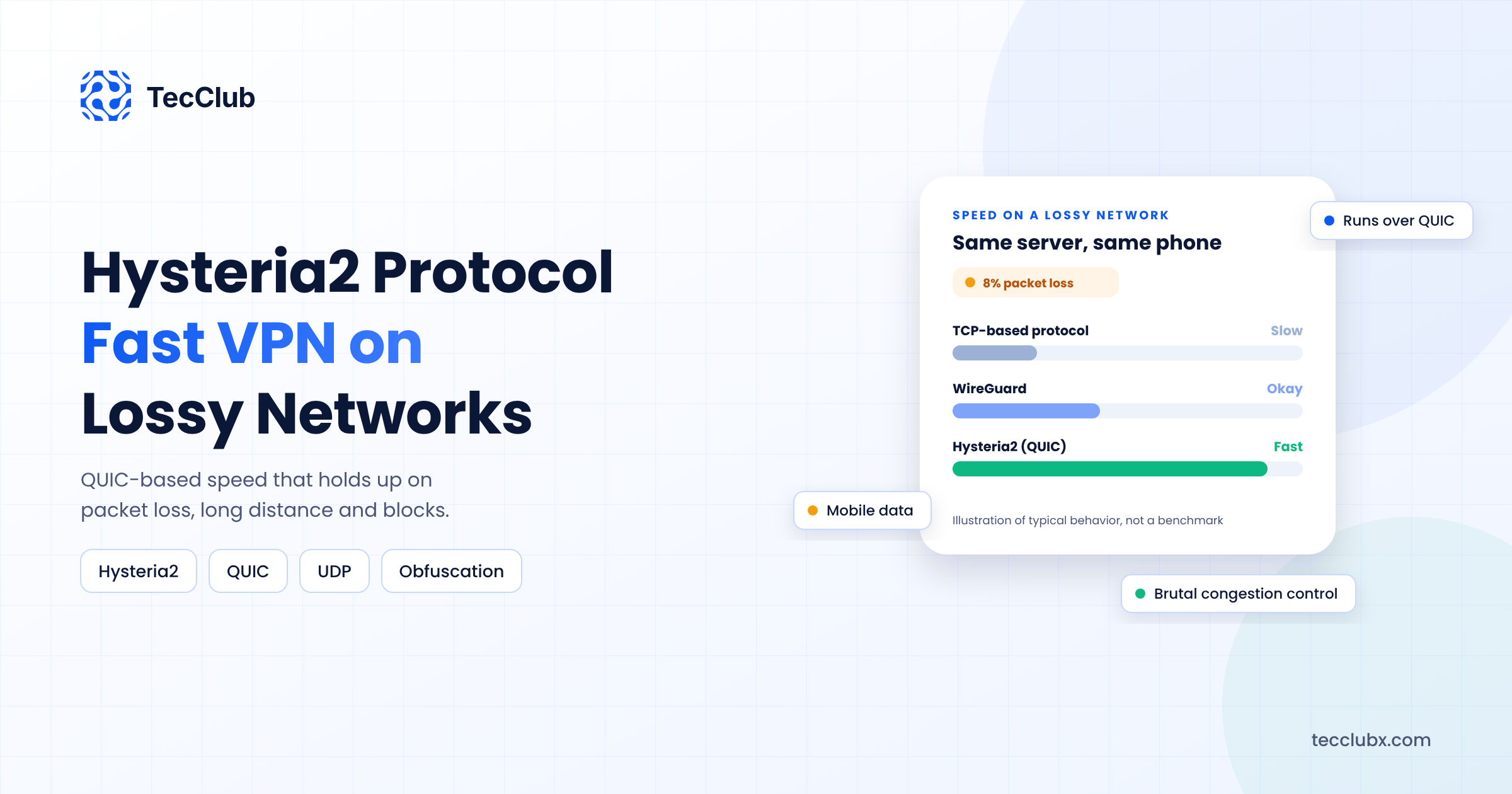
Most internet connections use congestion control that slows down sharply when packets are lost. That is fair and sensible on a healthy network. On a lossy mobile link, though, it means the connection keeps backing off even when there is bandwidth available.
Hysteria2 takes a different approach. With its "Brutal" congestion control, the client tells the server roughly how much bandwidth it has, and the protocol sends at that rate instead of shrinking every time a packet is lost. On networks with heavy packet loss or high latency, this can make the difference between a connection that crawls and one that streams video smoothly.
Because it runs on QUIC, Hysteria2 also gets faster connection setup and handles network changes, such as moving from Wi-Fi to mobile data, more gracefully than many TCP-based protocols.
How It Avoids Blocking
- It looks like HTTP/3. Hysteria2 can masquerade as a normal HTTP/3 web server. If someone probes the server without the right password, it can respond like an ordinary website.
- Optional obfuscation. An extra obfuscation layer (called Salamander) can scramble packets so they no longer look like QUIC at all, for networks that block or inspect QUIC.
- Port hopping. The client can switch between a range of server ports over time, which makes it harder for a network to block a single port.
For a broader look at how VPN traffic is disguised, see our guide on traffic obfuscation in modern VPN systems.
Hysteria2 vs WireGuard vs VLESS
| WireGuard | VLESS + Reality | Hysteria2 | |
|---|---|---|---|
| Transport | UDP | TCP | UDP (QUIC) |
| Best at | Speed on open networks | Avoiding detection | Speed on lossy networks |
| Looks like | VPN traffic | Normal HTTPS | HTTP/3, or random with obfuscation |
| Main weakness | Easy to identify and block | Slower on very lossy links | Fails where UDP is blocked |
The takeaway is that these protocols complement each other. If you want the full picture on VLESS, read what makes VLESS different from traditional VPN protocols.
Where Hysteria2 Struggles
- Networks that block or throttle UDP. Some corporate networks and some countries limit UDP or QUIC heavily. There, a TCP-based protocol like VLESS with Reality usually works better.
- Bandwidth settings matter. If the client claims much more bandwidth than it really has, Brutal congestion control can cause extra packet loss and worse speeds. Set values close to the real connection, or let the app measure them.
- Hosting providers. Heavy UDP traffic can draw attention from some hosting providers. Check your provider's policy before you deploy at scale.
- Battery and data use. Sending at a steady high rate on mobile can use more battery than a gentler protocol. Test real sessions, not just speed tests.
How to Add Hysteria2 to a VPN App
Most VPN apps add Hysteria2 through Sing-box, which supports it alongside VLESS, Shadowsocks and other protocols in a single core. The usual setup looks like this:
- Server: run a Hysteria2 server with a valid TLS certificate, a password or user-based authentication, and optional obfuscation and masquerade settings.
- Backend: deliver Hysteria2 server configs to the app from your API, alongside configs for your other protocols.
- App: run Sing-box inside the VPN tunnel (VpnService on Android, NetworkExtension on iOS) with a Hysteria2 outbound.
- Fallback: if Hysteria2 cannot connect, for example because UDP is blocked, switch automatically to a TCP protocol such as VLESS with Reality.
That automatic fallback is what makes Hysteria2 useful in a real product. Users should never have to know which protocol is running. We explain why Sing-box fits this kind of multi-protocol app in why Sing-box is ideal for custom VPN app development.
Should Your VPN App Offer Hysteria2?
Hysteria2 is worth adding if your users are often on mobile data, connect from far away from your servers, or live in regions where standard VPN traffic is slowed down. It is less important if most of your users are on stable home or office internet, where WireGuard is already fast.
The strongest setup for many VPN apps today is a mix: WireGuard as a fast default, VLESS with Reality for networks that detect VPNs, and Hysteria2 for networks that are slow and lossy, with the app choosing automatically.
Final Thoughts
Hysteria2 does not replace other protocols. It fills a gap they leave: keeping speed high when the network itself is the problem. Add it with a proper fallback and sensible bandwidth settings, and users on the worst connections will notice the difference first.
Adding Hysteria2 to Your VPN App?
TecClub builds multi-protocol VPN apps with WireGuard, OpenVPN, IKEv2, VLESS/Reality and Hysteria2, with automatic fallback between them and the servers and backend to match.
Talk to our VPN team or email us at [email protected].