"How long will it take?" is usually the second question a founder asks about a VPN app, right after "how much will it cost?". The real answer is that it depends on a handful of decisions you make before any code is written: how many platforms, which protocols, how much backend, and whether you start from a white-label base or build everything custom.
This guide breaks a VPN app project into its real phases, gives typical time ranges for each, and explains what speeds a launch up and what quietly slows it down. Use it to plan your launch date and to sanity-check the timelines in the proposals you receive.
The Short Answer
With a focused scope and an experienced team, a custom VPN app for Android and iOS can be built in 4 to 6 weeks. That is the range we work to for most VPN projects. Here is how different project sizes usually compare:
| What you are building | Typical time to launch |
|---|---|
| White-label VPN app with your branding | Faster than custom, often 1 to 2 weeks |
| Custom VPN app for Android and iOS with subscriptions and admin panel | 4 to 6 weeks |
| Larger product: desktop apps, many protocols, reseller features | Longer, depending on scope |
App store review is not included in these numbers, and for VPN apps it deserves its own line in your plan. More on that below.
The Phases of a VPN App Project
1. Discovery and planning (first few days)
This is where the important decisions get made: target countries, platforms, protocols, free versus paid plans, and what the first version must include. Skipping this step rarely saves time. It usually moves the arguments into the middle of development, where they cost much more.
2. UI/UX design (about 1 week)
A VPN app has fewer screens than most apps, but each one matters: the connect screen, server list, paywall, settings and onboarding. Design can overlap with backend work, so it does not always add its full length to the schedule.
3. Backend and admin panel (2 to 3 weeks, in parallel)
Behind the app you need user accounts, subscription verification, server lists, configuration delivery and an admin panel to manage it all. This often runs in parallel with app development. A ready-made panel shortens it a lot. A custom panel with reseller features lengthens it.
4. App development (3 to 4 weeks)
This is the biggest block. Android and iOS handle VPNs very differently, so the two apps are usually built side by side by separate developers to keep the timeline short. Each extra protocol adds integration and testing time, and protocols built for restricted networks, such as VLESS with Reality or Hysteria2, need more tuning than a standard WireGuard setup.
5. Server setup (in parallel)
Choosing providers, setting up servers in your launch locations, configuring each protocol and adding monitoring. This usually runs alongside development.
6. Testing (about 1 week)
VPN apps need more real-world testing than most apps: switching networks, battery life, leak tests, kill switch behavior and connections from the countries you plan to sell in. Rushing this phase is the most common reason a VPN app gets bad reviews in its first month.
7. App store review (a few days to a few weeks)
Google Play and the App Store both look at VPN apps closely. Apple requires VPN apps to be published from an organization account, and both stores check privacy disclosures and subscription terms. A clean submission can pass in a few days. A first-time VPN submission that gets rejected can lose two or three weeks in back-and-forth. Our checklist on how to pass App Store and Google Play review for a VPN app covers what reviewers usually flag.
What Makes a VPN App Take Longer
- More platforms at once. Launching on Android, iOS, Windows and macOS on day one adds weeks compared with launching on mobile first.
- Many protocols. Each protocol means another core to integrate, configure on servers and test.
- Restricted-network markets. Making connections reliable where VPN traffic is blocked takes extra rounds of real-world testing.
- Custom backend features. Reseller systems, device limits, complex plans and custom analytics all add weeks.
- Late decisions. Changing the pricing model or adding a platform halfway through is the most expensive kind of delay.
- Organization accounts and documents. Getting a company developer account verified can take time. Start it in week one, not the week you want to submit.
How to Launch Faster
- Start with one platform. Launch where most of your target users are, then add the next platform.
- Start with one or two protocols. A fast default plus one protocol for difficult networks covers most users.
- Use a proven base. A white-label foundation or an existing admin panel can save weeks. We compare both paths in white-label VPN vs custom VPN development.
- Freeze the scope for version one. Keep a list of later features, and protect the launch date.
- Prepare store accounts and policies early. Privacy policy, terms, organization account and store listing can all be ready before the app is.
A Realistic Example Timeline
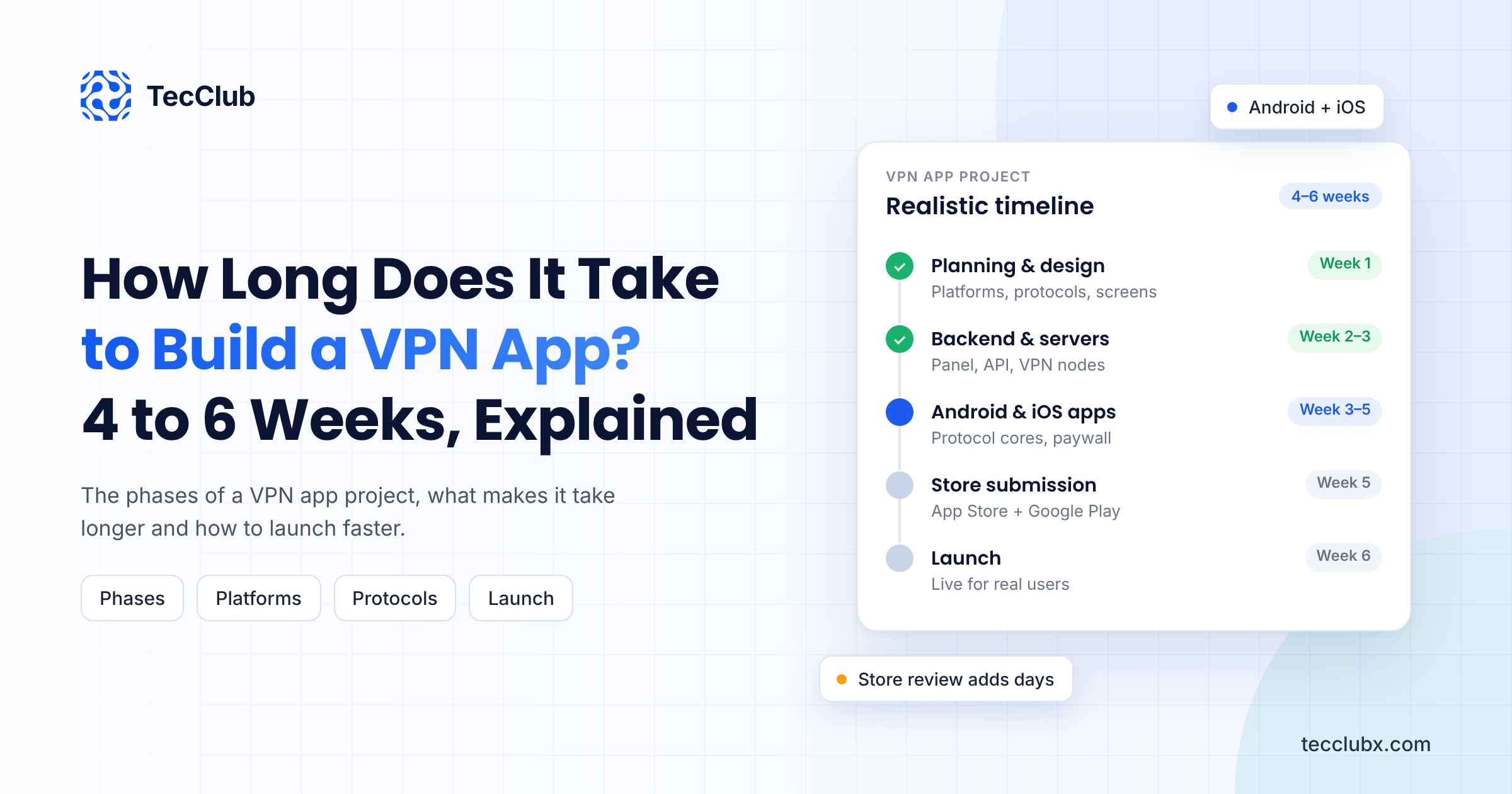
Here is how a custom VPN app for Android and iOS, with subscriptions and an admin panel, fits into six weeks:
- Week 1: discovery, scope, UI/UX design and store account setup
- Weeks 2 to 4: Android and iOS development, backend, admin panel, subscriptions and servers, all in parallel
- Week 5: testing, fixes and leak tests on real devices and networks
- Week 6: final fixes and store submission
Store review then usually takes from a few days to a couple of weeks, depending on how clean the first submission is. The key to this pace is parallel work and decisions made on time.
Questions to Ask About Any Timeline
When a developer gives you a date, ask what is included: design, backend, admin panel, servers, testing and store submission. A short timeline that leaves out testing or review is not really short. It just moves the delay to after you have paid. Our guide on how to choose a VPN app developer lists the questions that reveal whether a plan is realistic.
Final Thoughts
A custom VPN app for Android and iOS can go from idea to store submission in 4 to 6 weeks with a focused scope, and a white-label app even faster. The projects that run late are rarely slowed down by code. They are slowed by unclear scope, too many platforms at once, and store review surprises. Decide early, start small, and plan for review from day one.
Planning Your VPN App Launch?
TecClub builds custom and white-label VPN apps for Android, iOS, Windows and macOS, with the backend, admin panel and servers behind them. Tell us your target markets and platforms, and we will give you a clear, phase-by-phase timeline.
Get a timeline for your VPN app or email us at [email protected].