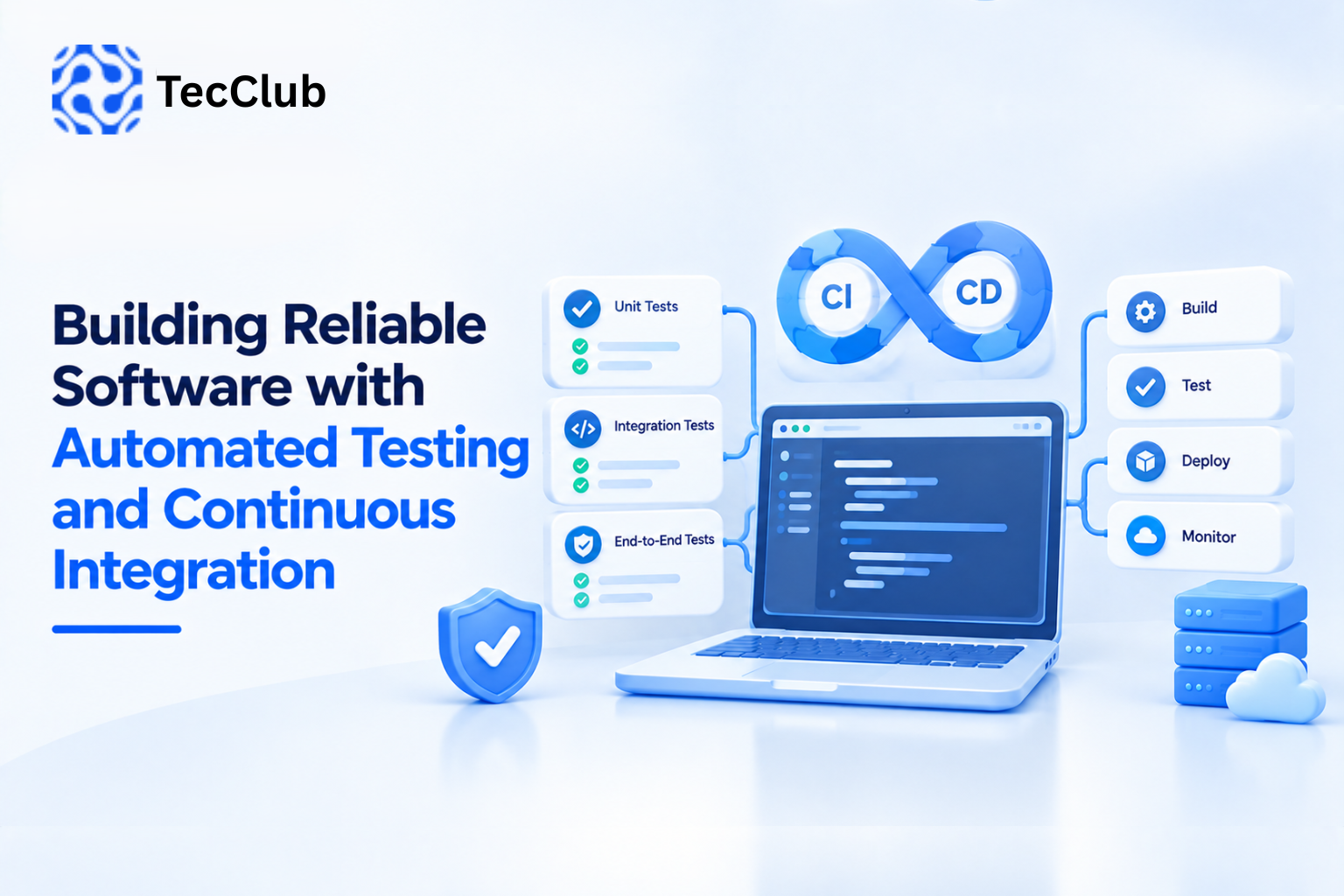
Building Reliable Software with Automated Testing and Continuous Integration
Modern software is rarely built by writing code once and leaving it untouched. Applications receive new features, security updates, bug fixes, API changes, and performance improvements throughout their lifecycle. As a project grows, manually checking every change becomes slower and more difficult.
This is where automated testing and continuous integration (CI) become important.
Automated tests can verify application behavior without requiring developers to manually repeat the same checks after every update. Continuous integration helps teams automatically build and test new code whenever changes are introduced.
Together, they create a development workflow where problems can be detected earlier, releases become more predictable, and teams can make changes with greater confidence.
1. What Is Automated Testing?
Automated testing uses software tools to execute predefined tests and verify whether an application behaves as expected.
Instead of manually checking every function, developers can create tests that automatically verify important parts of the system.
For example, an e-commerce application might automatically test:
-
User registration
-
Login and logout
-
Product search
-
Shopping cart calculations
-
Payment workflows
-
Order creation
-
API responses
-
Database operations
-
Permission rules
A simplified workflow looks like this:
Developer Changes Code
        ↓
Automated Tests Run
        ↓
Application Behavior Is Checked
        ↓
Pass → Continue
Fail → Investigate
The goal is not to eliminate human testing. Instead, automation handles repetitive and predictable checks so developers and QA teams can focus on more complex scenarios.
2. Why Manual Testing Alone Becomes Difficult
Manual testing is valuable, particularly for usability and exploratory testing. However, relying entirely on manual testing can become challenging as an application grows.
Imagine an application with hundreds of features.
Every time developers modify the authentication system, they may need to verify:
-
Login
-
Registration
-
Password reset
-
User sessions
-
API authentication
-
Profile access
-
Subscription access
-
Admin permissions
-
Mobile application behavior
Repeating these checks after every code change consumes significant time.
Automated tests can repeatedly perform many of these checks without requiring someone to manually execute each step.
3. Different Types of Automated Tests
Reliable software usually requires more than one type of test.
Unit Testing
Unit tests verify small pieces of application logic independently.
For example:
calculateTotal()
validateEmail()
calculateDiscount()
checkUserPermission()
A unit test might verify that:
Product Price = $100
Discount = 20%

Expected Total = $80
Unit tests are generally fast and are useful for detecting problems in individual components.
Integration Testing
Integration tests verify whether multiple components work correctly together.
For example:
Application
     ↓
API
     ↓
Database
     ↓
Response
An integration test might verify that creating a user through an API correctly stores the required information in the database.
End-to-End Testing
End-to-end testing checks a complete user workflow.
For example:
Open Website
     ↓
Create Account
     ↓
Login
     ↓
Select Subscription
     ↓
Complete Payment
     ↓
Access Premium Feature
This type of testing can identify problems that individual unit tests may not detect.
UI Testing
UI tests verify whether important interface interactions behave correctly.
For mobile applications, tests might check:
-
Login screens
-
Navigation
-
Forms
-
Buttons
-
Permission flows
-
Subscription screens
-
Error messages
UI testing can be particularly useful when an application has many user-facing workflows.
4. What Is Continuous Integration?
Continuous Integration, commonly called CI, is a development practice where code changes are regularly integrated into a shared codebase and automatically checked.
A typical CI workflow looks like:
Developer
   ↓
Git Repository
   ↓
CI Pipeline Starts
   ↓
Install Dependencies
   ↓
Build Application
   ↓
Run Automated Tests
   ↓
Generate Report
   ↓
Pass / Fail
If a developer introduces a change that causes tests to fail, the team can identify the problem before that code moves further through the development process.
5. Why Automated Testing and CI Work Better Together
Automated testing provides the checks.
CI provides the automated workflow that runs those checks consistently.
Without automation:
Developer → Code → Manual Testing → Feedback
With automated testing and CI:
Developer → Commit
              ↓
          CI Pipeline
              ↓
       Build + Test + Checks
              ↓
        Immediate Feedback
This combination makes testing part of the development process rather than something that happens only near the end of a project.
6. Catching Bugs Earlier
One of the biggest benefits of automated testing is earlier detection.
Suppose a developer changes a payment-related function.
Without automated tests, the problem might remain hidden until:
-
QA testing
-
staging
-
client review
-
production
With CI, tests can run shortly after the code is committed.
Code Change
    ↓
Automated Test
    ↓
Failure Detected
    ↓
Developer Investigates
    ↓
Fix Applied
Finding a problem close to the time it was introduced can make troubleshooting easier because there are fewer changes to investigate.
7. Protecting Existing Features During Development
Software development often involves adding new features without breaking existing ones.
This is commonly referred to as regression testing.
For example, a developer adds a new subscription feature.
The change should not accidentally break:
-
Login
-
User profiles
-
Existing subscriptions
-
Notifications
-
Billing records
-
Admin functions
A regression test suite can automatically verify important existing functionality.
New Feature
     ↓
Existing Test Suite
     ↓
Authentication ── Pass
Payments ──────── Pass
Subscriptions ─── Pass
User Profile ──── Pass
Admin Access ──── Pass
This gives developers a repeatable way to check whether new changes affect established functionality.
8. CI Pipelines Can Do More Than Run Tests
A CI pipeline can contain several automated stages.
For example:
Code Commit
     ↓
Code Formatting
     ↓
Static Analysis
     ↓
Dependency Installation
     ↓
Unit Tests
     ↓
Integration Tests
     ↓
Build
     ↓
Security Checks
     ↓
Deployment Preparation
Depending on the project, a pipeline can also perform:
-
Linting
-
Type checking
-
Dependency checks
-
Build verification
-
Test coverage reporting
-
Container image creation
-
Artifact generation
-
Documentation checks
The exact pipeline should match the project's requirements rather than adding unnecessary steps.
9. Automated Testing in Laravel Applications
Laravel applications can benefit significantly from automated testing.
A Laravel project might test:
-
Controllers
-
Models
-
Services
-
APIs
-
Authentication
-
Authorization
-
Database operations
-
Queue jobs
-
Notifications
-
Business rules
For example:
Laravel Application
        ↓
Feature Tests
        ↓
API Tests
        ↓
Database Tests
        ↓
Business Logic Tests
        ↓
CI Pipeline
When developers push changes to the repository, the CI system can install the required dependencies, prepare the testing environment, execute the Laravel test suite, and report failures.
This is particularly useful for large backend systems where a small change can affect several connected components.
10. Automated Testing in Flutter Applications
Flutter applications also benefit from layered testing.
A project can include:
Unit Tests
For individual logic and functions.
Widget Tests
For checking specific UI components.
Integration Tests
For testing larger application workflows.
A simplified structure could be:
Flutter App
    ↓
Unit Tests
    ↓
Widget Tests
    ↓
Integration Tests
    ↓
Build Verification
    ↓
CI Pipeline
For applications targeting Android and iOS, automated testing can help identify problems before a new version is prepared for release.
11. Testing APIs and Backend Communication
Modern applications often depend heavily on APIs.
A mobile application might communicate with a backend like this:
Flutter / Native App
        ↓
       API
        ↓
Laravel / Node.js Backend
        ↓
     Database
Automated API tests can verify:
-
HTTP status codes
-
Authentication
-
Request validation
-
Response structures
-
Permission rules
-
Database changes
-
Error handling
For example:
POST /api/login

Valid Credentials
        ↓
Expected: 200
        ↓
Token Returned
The same test can also verify invalid credentials:
Invalid Credentials
        ↓
Expected: Authentication Error
This helps prevent API changes from unexpectedly breaking connected applications.
12. CI and Database Changes
Database migrations are another area where automated validation can help.
Suppose a developer adds a new field:
users
----------------
id
name
email
subscription_id
The CI environment can create a fresh database and run migrations.
Fresh Database
      ↓
Run Migrations
      ↓
Seed Test Data
      ↓
Run Tests
      ↓
Verify Application
This can help identify migration problems before changes reach production.
13. Test Environments Should Be Separate
Testing directly against production data can be dangerous.
A better architecture separates environments:
Development
     ↓
Testing
     ↓
Staging
     ↓
Production
Each environment can have different configurations and access controls.
For example:
-
Development → developer experimentation
-
Testing → automated tests
-
Staging → production-like validation
-
Production → live users
This separation reduces the risk of testing activities affecting real customers or production data.
14. Handling Secrets Securely in CI
CI pipelines often require credentials for databases, APIs, cloud services, signing systems, or deployment environments.
These secrets should not be hard-coded into source code.
Avoid:
API_KEY = "real-secret-key"
Instead, CI platforms can use protected environment variables or secret-management mechanisms.
Conceptually:
CI Pipeline
     ↓
Secure Secret Store
     ↓
Temporary Environment Variable
     ↓
Application/Test
This helps prevent credentials from accidentally becoming part of the source repository.
15. Test Coverage Is Useful, But It Is Not Everything
Test coverage measures how much of the codebase is exercised by tests.
For example:
Total Code
   ↓
Code Executed by Tests
   ↓
Coverage Percentage
High coverage can be useful, but coverage alone does not prove that software is reliable.
A poorly designed test may execute a line of code without actually checking whether the result is correct.
Good testing focuses on meaningful behavior rather than simply trying to achieve a high percentage.
16. Making CI Fast Enough for Developers
A CI pipeline that takes an extremely long time can slow development.
Teams can improve CI efficiency by:
-
Running fast unit tests early
-
Caching dependencies
-
Parallelizing independent tests
-
Running expensive tests only when necessary
-
Reusing build artifacts
-
Keeping test environments consistent
-
Removing unnecessary pipeline steps
A practical pipeline might look like:
Commit
  ↓
Fast Checks
  ↓
Unit Tests
  ↓
Integration Tests
  ↓
Build
  ↓
Staging / Release
Fast feedback helps developers identify problems without waiting unnecessarily long.
17. CI for Multi-Platform Applications
Applications targeting multiple platforms require additional build validation.
For example, a VPN application might have:
Shared Backend
      ↓
 ┌────┼─────┬─────┐
 ↓    ↓     ↓     ↓
Android iOS Windows macOS
Each platform can have different requirements.
CI can help automate:
-
Platform-specific builds
-
Automated tests
-
Version checks
-
Configuration validation
-
Build artifacts
-
Release preparation
For cross-platform applications, this can reduce the amount of repetitive manual work required before each release.
18. Automated Testing for VPN Applications
VPN applications have particularly important reliability requirements because several components interact.
A typical architecture might include:
Mobile/Desktop App
        ↓
     API Layer
        ↓
 Authentication
        ↓
Server Selection
        ↓
VPN Configuration
        ↓
VPN Protocol
        ↓
VPN Server
Automated testing can validate parts of this system independently.
For example:
-
Account authentication
-
Subscription status
-
Server-list retrieval
-
Configuration generation
-
API responses
-
Routing rules
-
Connection-state handling
-
Error handling
-
Reconnection logic
Not every network behavior can be completely reproduced in a standard CI environment, so specialized integration or controlled test environments may still be required.
19. Common Mistakes in Automated Testing and CI
Automation is valuable, but poorly designed automation can create its own problems.
Testing Only the Happy Path
Testing only successful scenarios leaves important failure conditions unchecked.
Creating Fragile Tests
Tests that depend heavily on timing, external services, or unstable UI elements can fail unnecessarily.
Ignoring Failed Tests
A failing test should be investigated rather than repeatedly ignored.
Testing Everything at the Same Level
Not every feature needs an expensive end-to-end test. Small logic can often be covered with faster unit tests.
Storing Secrets in Code
Credentials should never be casually committed to repositories.
Making CI Too Complex
A pipeline should solve real development problems instead of becoming a collection of unnecessary steps.
20. A Practical Reliable Software Workflow
A mature development workflow can look like this:
Requirement
    ↓
Development
    ↓
Local Testing
    ↓
Git Commit
    ↓
CI Pipeline
    ↓
Automated Tests
    ↓
Build Verification
    ↓
Code Review
    ↓
Staging
    ↓
Final Validation
    ↓
Production
    ↓
Monitoring
This creates several checkpoints before software reaches users.
The objective is not to create an endless testing process. It is to establish reliable, repeatable checks around the parts of the system that matter most.
21. How TecClub Technology Approaches Reliable Software Development
At TecClub Technology, reliable software development can involve combining structured development practices with automated validation and continuous integration.
Our approach can include:
-
Automated testing for important application logic
-
API and backend testing
-
Laravel application testing
-
Flutter testing
-
Authentication and authorization validation
-
Database and migration testing
-
CI pipeline integration
-
Build verification
-
Staging environments
-
Cross-platform validation
-
Secure configuration management
-
Performance and reliability checks
-
Production monitoring
For applications such as SaaS platforms, mobile apps, custom business software, and VPN solutions, testing strategies can be designed around the application's actual architecture and risk areas.
The goal is to make software easier to maintain while reducing the chances that future changes unexpectedly affect existing functionality.
Conclusion
Reliable software is not created only through writing good code. It also depends on how that code is tested, integrated, reviewed, and released.
Automated testing provides repeatable validation, while continuous integration makes those checks part of the everyday development workflow.
When implemented properly, they can help teams:
-
Detect problems earlier
-
Protect existing functionality
-
Reduce repetitive manual testing
-
Improve development confidence
-
Validate APIs and backend systems
-
Maintain cross-platform applications
-
Create more predictable releases
-
Support long-term software scalability
As applications become more complex, automated testing and CI become less about adding extra development work and more about building a reliable process for delivering software consistently.