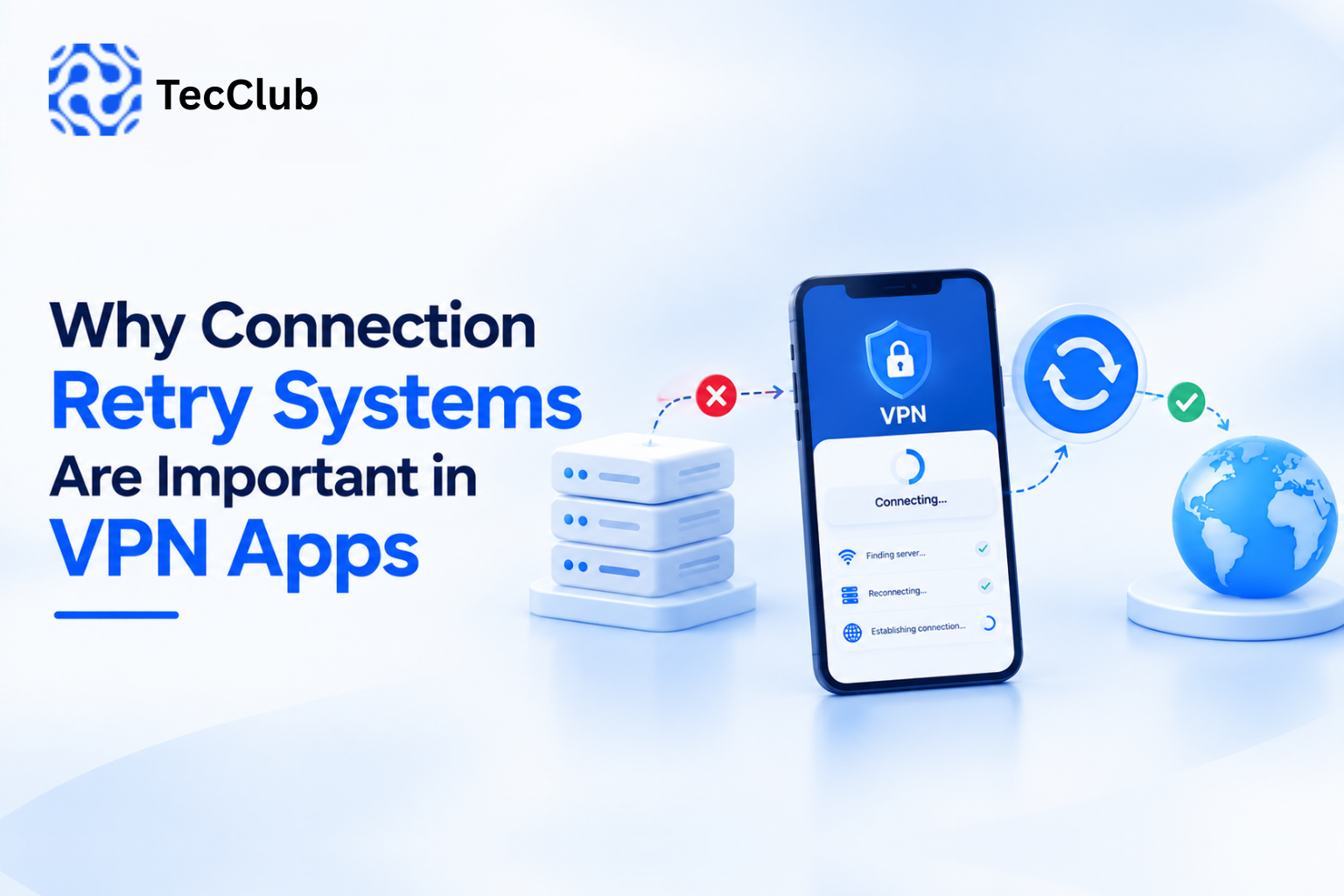
Why Connection Retry Systems Are Important in VPN Apps
A VPN connection may appear simple from the user's perspective:
Open the app → Tap Connect → VPN connected.
But real-world networks are rarely stable.
Users move between Wi-Fi and mobile data, enter areas with weak signals, experience temporary internet interruptions, or connect to networks that block or interfere with certain traffic.
When the VPN tunnel breaks, a well-designed application should be able to recognize the problem and determine whether it should attempt to reconnect.
This is where a connection retry system becomes important.
A retry system allows a VPN app to recover from temporary connection failures without requiring the user to repeatedly press the Connect button.
1. What Is a VPN Connection Retry System?
A retry system is the logic that controls what happens when a VPN connection attempt fails or an existing connection is interrupted.
A basic flow might look like:
VPN Connected
      ↓
Connection Interrupted
      ↓
Detect Failure
      ↓
Wait
      ↓
Retry Connection
      ↓
Successful?
   ↙        ↘
 Yes         No
 ↓           ↓
Connected   Retry Again
The important part is that the application doesn't simply retry continuously.
A good retry system needs to understand when to retry, how often to retry, and when to stop.
2. Why VPN Connections Can Fail
There are many reasons a VPN connection may temporarily fail.
For example:
- Wi-Fi becomes unavailable
- Mobile data becomes unstable
- The device switches networks
- The VPN server becomes unreachable
- The server is overloaded
- DNS resolution fails
- A network temporarily blocks the connection
- The VPN tunnel expires or becomes invalid
- The device enters or leaves a restricted network environment
Android's connectivity APIs specifically recognize that network availability and capabilities can change dynamically, and applications can receive callbacks when networks become available or are lost.
This makes network-state awareness an important part of designing reliable VPN clients.
3. Wi-Fi to Mobile Data Is a Common Example
Consider a user watching a video while connected to Wi-Fi.
They leave the house.
The Wi-Fi connection disappears.
The phone switches to mobile data.
The underlying network used by the VPN has changed.
A poorly designed VPN client may simply show:
Disconnected
The user then has to manually reconnect.
A better implementation can detect the network transition and determine whether the VPN tunnel needs to be recreated.
Android's VPN APIs allow VPN applications to identify and update the underlying networks used by the VPN, including changes between Wi-Fi and cellular connectivity.
4. Retry Systems Improve User Experience
Without automatic retry logic:
Connection Lost
      ↓
User Notices
      ↓
Open VPN App
      ↓
Tap Connect
      ↓
Wait
With a retry system:
Connection Lost
      ↓
VPN Detects Problem
      ↓
Retry
      ↓
Connected
The user may only notice a short interruption instead of having to manually intervene.
This is particularly useful for VPN applications that are expected to remain connected while users move between networks.
5. Retry Does Not Mean “Connect Again Immediately”
One of the biggest mistakes in retry-system design is repeatedly attempting connections without any delay.
For example:
Fail
↓
Retry
↓
Fail
↓
Retry
↓
Fail
↓
Retry
↓
Fail...
This can create unnecessary:
- Network traffic
- Battery consumption
- CPU usage
- Server requests
- Connection attempts
Instead, a VPN app can use a controlled retry strategy.
For example:
Attempt 1
   ↓
Wait 1 second
   ↓
Attempt 2
   ↓
Wait 2 seconds
   ↓
Attempt 3
   ↓
Wait 4 seconds
This general concept is known as backoff.
6. Exponential Backoff
A common approach is to gradually increase the waiting time between attempts.
For example:
Retry 1 → 1 second
Retry 2 → 2 seconds
Retry 3 → 4 seconds
Retry 4 → 8 seconds
Retry 5 → 16 seconds
The actual values should depend on the VPN architecture and connection requirements.
The purpose is simple:
Don't repeatedly hit a connection that is currently unavailable.
Instead, give the network or server time to recover.
7. Maximum Retry Limits
A retry system should also have boundaries.
For example:
Retry 1
Retry 2
Retry 3
Retry 4
Retry 5
      ↓
Maximum Attempts Reached
      ↓
Stop / Notify User
This prevents an application from continuously consuming resources when the problem isn't temporary.
The app might then display:
Unable to connect. Please check your network or try another server.
8. Retry Logic Should Understand the Cause of Failure
Not every failure should be treated the same way.
For example:
Temporary Network Failure
The network disappeared for a few seconds.
Retry may make sense.
Server Unavailable
The selected VPN server is unreachable.
Try another server or retry later.
Invalid Authentication
The user's credentials or access authorization are invalid.
Repeated retries won't solve the problem.
Subscription Expired
The account no longer has access.
The app should not continuously retry.
This is why a good retry system needs more than a simple:
if failed → reconnectIt needs to understand the type of failure.
9. Retry and Server Switching
Sometimes reconnecting to the same server isn't the best option.
Imagine:
Server A
   ↓
Connection Failed
The VPN application could potentially try:
Server Bif the failure appears to be related to the original server.
This can be particularly useful in platforms with multiple locations and servers.
A possible strategy is:
Selected Server
      ↓
Connection Failed
      ↓
Retry Same Server
      ↓
Still Failed?
      ↓
Select Alternative Server
      ↓
Retry
The exact behavior should depend on the application's server-selection architecture.
10. Retry Systems and Smart Server Selection
A more advanced VPN application can combine retry logic with server health information.
For example:
                Server Selection
                       ↓
             ┌─────────┼─────────┐
             ↓         ↓         ↓
          Server A  Server B  Server C
             ↓         ↓         ↓
           Failed    Online    Online
                       ↓
                  Connect Here
If the backend already knows that a server is unavailable, the client doesn't necessarily need to repeatedly attempt that server.
This is where server monitoring + backend APIs + client retry logic can work together.
11. Connection Retry During Network Switching
Network switching is one of the most important scenarios for mobile VPN apps.
For example:
Wi-Fi
↓
Wi-Fi disconnected
↓
Mobile data available
↓
VPN tunnel needs to adapt or reconnect
Android provides network callbacks that allow applications to react to changes in the available network rather than relying only on periodic polling.
For VPN applications, this can help the client respond to changes in the underlying network.
12. Retry Systems Need to Consider Battery Usage
A VPN app can remain active for long periods.
If its retry mechanism repeatedly wakes the device, creates connections, and performs unnecessary checks, battery consumption can increase.
A better design considers:
- Retry intervals
- Network availability
- Device state
- Connection status
- Maximum attempts
- Backoff strategy
The objective is to recover quickly without constantly running expensive operations.
13. Retry Logic and Kill Switches Are Different
These two features are sometimes confused.
Connection Retry
Attempts to restore the VPN connection.
Kill Switch
Controls what traffic is allowed when the VPN isn't connected, according to the platform and configuration.
For example:
VPN Connection Lost
        ↓
Kill Switch → Restrict selected traffic
        ↓
Retry System → Attempt reconnection
        ↓
VPN Connected
        ↓
Normal Traffic Flow
They solve different problems but can work together.
Android also supports always-on VPN and lockdown-related functionality at the platform level, depending on the device and configuration.
14. Retry Systems Should Keep the User Informed
A VPN shouldn't silently appear broken.
The interface can communicate states such as:
Connecting...
Connection Lost
Reconnecting...
Connected
Unable to Connect
This gives the user an understanding of what the application is doing.
For example:
Connected
   ↓
Connection Lost
   ↓
Reconnecting...
   ↓
Connected
The user doesn't need to understand the technical details behind the process.
15. Backend Support Can Make Retry Systems Smarter
A VPN app doesn't necessarily need to make every decision independently.
The backend can provide information about:
- Available servers
- Server status
- Server load
- User access
- Supported protocols
- Connection configurations
The client can then use this information when deciding how to reconnect.
A simplified architecture might be:
              VPN App
                 ↓
          Connection Failed
                 ↓
            Backend API
                 ↓
        Server Availability
                 ↓
        Select Suitable Server
                 ↓
           Retry Connection
This becomes especially useful as the VPN platform grows.
16. Retry Logic Should Be Protocol-Aware
Different VPN protocols behave differently.
A retry strategy that works well for one protocol may not be ideal for another.
A VPN platform may support technologies such as:
- WireGuard
- OpenVPN
- IKEv2/IPsec
- VLESS
- VMess
- Shadowsocks
- Sing-box-based configurations
The application should therefore account for the connection characteristics of the protocol being used.
This is particularly important when the application supports multiple protocols rather than relying on a single connection technology.
17. Connection State Management Is Important
A VPN app should maintain a clear internal state.
For example:
DISCONNECTED
      ↓
CONNECTING
      ↓
CONNECTED
      ↓
RECONNECTING
      ↓
CONNECTED
It may also need states such as:
FAILED
WAITING_FOR_NETWORK
AUTHENTICATION_FAILED
SERVER_UNAVAILABLE
USER_DISCONNECTED
This prevents the retry system from making incorrect assumptions.
For example, if the user intentionally disconnected, the application should not automatically reconnect simply because it detected that the VPN isn't active.
18. User-Initiated Disconnect vs Unexpected Failure
This distinction is critical.
User Disconnects
User taps Disconnect
        ↓
VPN stops
        ↓
Do NOT automatically retry
Unexpected Failure
VPN unexpectedly drops
        ↓
Detect failure
        ↓
Retry according to policy
Without this distinction, a user could intentionally disconnect the VPN and have the application immediately reconnect.
19. Connection Retry Is Part of Reliability
A VPN application can have an excellent interface and still provide a poor experience if connections frequently remain broken after temporary interruptions.
Reliability involves several layers:
VPN App
   ↓
Connection Management
   ↓
Protocol
   ↓
Server Infrastructure
   ↓
Network
Retry systems operate primarily within the connection-management layer, but their effectiveness depends on the health of the layers underneath.
20. A Practical Retry Architecture
A more complete design might look like this:
                VPN Connection
                      ↓
                Monitor Status
                      ↓
              Connection Lost?
                 ↙         ↘
               No           Yes
               ↓             ↓
           Stay Active   Check Network
                              ↓
                       Network Available?
                         ↙          ↘
                       No            Yes
                       ↓              ↓
                 Wait for Network   Retry
                                      ↓
                               Connection Works?
                                  ↙       ↘
                                Yes        No
                                ↓          ↓
                            Connected   Backoff
                                           ↓
                                      Retry Again
This approach is more controlled than repeatedly attempting connections regardless of network state.
21. Why This Matters for VPN Businesses
For a commercial VPN application, connection reliability directly affects the user's experience.
A user doesn't normally care whether a connection was restored through:
- Network detection
- Backoff
- Server switching
- Protocol reinitialization
- Backend configuration
They simply expect the application to handle temporary problems gracefully.
That makes connection management an important part of VPN application development.
How TecClub Technology Approaches VPN Connection Management
At TecClub Technology, VPN applications can be designed with connection-management logic alongside the VPN client, backend, and infrastructure.
Depending on project requirements, this can include:
- Automatic reconnection
- Network-change detection
- Connection state management
- Server selection
- Server health information
- Retry and backoff logic
- Kill Switch integration
- Auto Connect
- Multi-protocol support
- Backend/API integration
- Connection monitoring
The objective is to make temporary network interruptions less disruptive while keeping the retry behavior controlled and predictable.
Conclusion
A VPN connection isn't guaranteed to remain stable throughout a user's entire session.
Networks change. Servers become unavailable. Wi-Fi disappears. Mobile connectivity fluctuates.
A well-designed connection retry system gives the application a way to respond to these situations without requiring constant manual intervention.
The basic idea is:
Detect → Evaluate → Wait → Retry → Verify → Reconnect
The important part is intelligent retry behavior—not simply reconnecting as quickly and as often as possible.
When combined with network-state detection, server monitoring, appropriate backoff, connection-state management, and features such as Auto Connect and Kill Switch, retry systems can become an important part of a reliable VPN application.