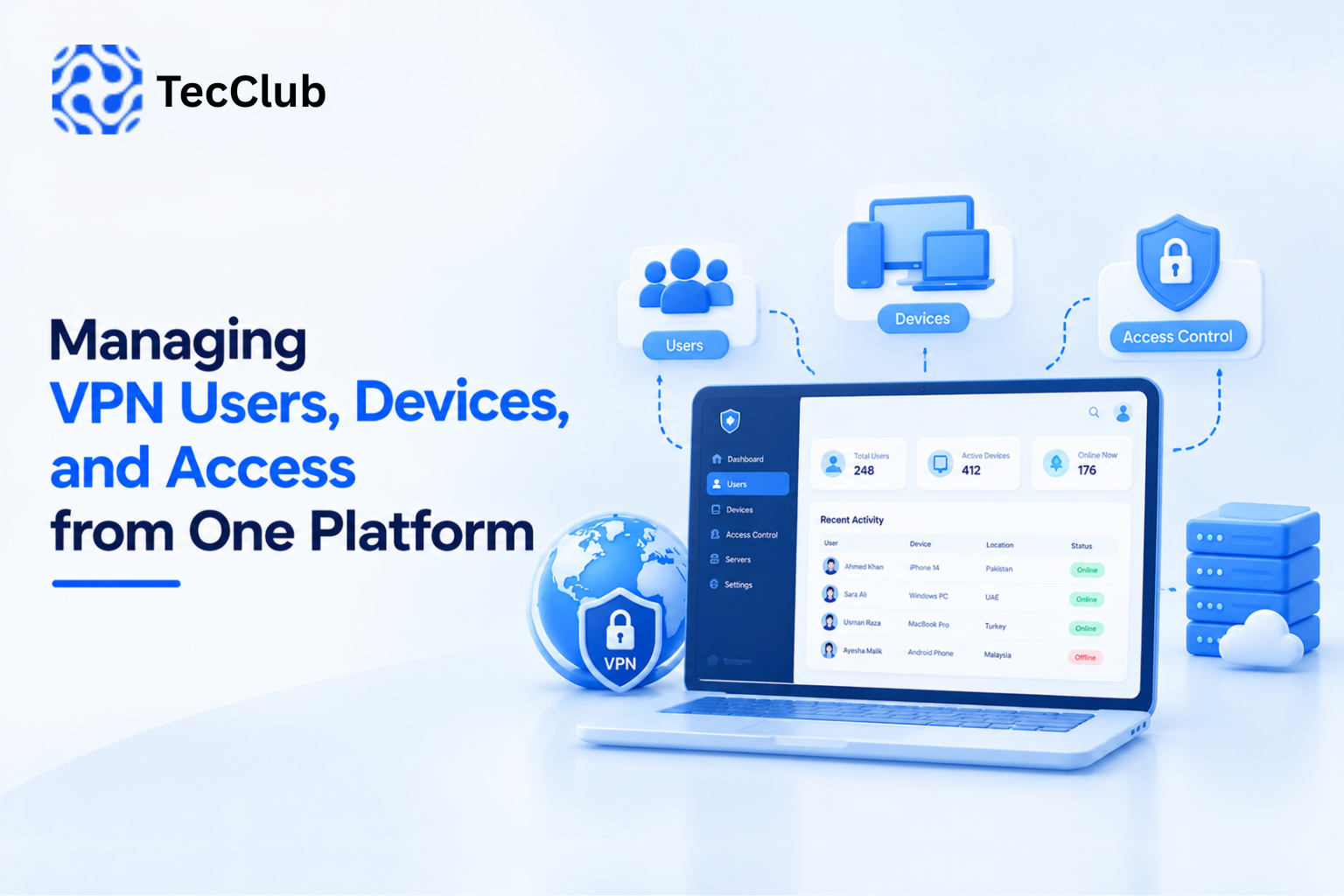
Managing VPN Users, Devices, and Access from One Platform
As a VPN business grows, managing users manually becomes increasingly difficult.
A small VPN service may start with a few users and a simple application. But once the platform has thousands of customers, multiple devices, different subscription plans, several server locations, and multiple access rules, user management becomes a core part of the infrastructure.
A modern VPN platform needs more than a login system. It needs a centralized way to manage users, devices, sessions, subscriptions, permissions, and access from one platform.
This is particularly important for white-label VPN businesses, VPN resellers, and companies operating their own VPN infrastructure.
1. Why Centralized VPN User Management Matters
A VPN user interacts primarily with the mobile or desktop application.
Behind that simple interface, however, the platform may need to manage:
-
User accounts
-
Authentication
-
Devices
-
Active sessions
-
Subscription plans
-
Server access
-
Connection limits
-
Expiration dates
-
Usage information
-
Account status
-
Security events
Managing these elements separately can quickly create inconsistencies.
A centralized platform brings them together.
VPN Application
       ↓
Authentication API
       ↓
Central Management Platform
       ├── Users
       ├── Devices
       ├── Subscriptions
       ├── Sessions
       ├── Access Rules
       └── Usage
This gives administrators a single source of information for managing the VPN service.
2. Managing VPN Users
The user account is the foundation of a VPN platform.
A centralized user management system can maintain information such as:
-
User ID
-
Name
-
Email
-
Account status
-
Subscription
-
Registration date
-
Expiration date
-
Last activity
-
Connected devices
-
Usage
-
Assigned permissions
Administrators can then search, filter, update, suspend, or manage accounts without accessing individual devices.
For a growing VPN business, this can significantly simplify day-to-day operations.
3. User Status Management
Not every account should have the same access status.
A VPN platform may need states such as:
Active
Suspended
Expired
Blocked
Pending
Deleted
For example, an expired subscription could automatically change a user's access state.
Subscription Expires
        ↓
Account Status Updated
        ↓
VPN Access Restricted
        ↓
Application Displays Renewal Option
This type of automation reduces the need for manual intervention.
4. Managing Multiple Devices
Users increasingly access services from multiple devices.
A single VPN account may be used on:
-
Android phones
-
iPhones
-
Windows PCs
-
Mac computers
-
Tablets
-
Other supported devices
A centralized platform should therefore distinguish between the user account and the devices connected to that account.
For example:
User
 ├── iPhone
 ├── Android Tablet
 ├── Windows Laptop
 └── MacBook
This makes it easier to enforce device limits and identify active connections.
5. Device Registration
A VPN platform can register a device when the user signs in or establishes a connection.
Depending on the application's architecture, device information may include:
-
Device identifier
-
Platform
-
App version
-
Operating system
-
Last activity
-
Last connection
-
Current status
-
Assigned configuration
This allows administrators to understand how accounts are being used across supported platforms.
6. Device Limits
Subscription plans often include device limitations.
For example:
Basic Plan
3 devices

Standard Plan
5 devices

Premium Plan
10 devices
The exact limits depend on the business model.
The backend can check the number of registered or active devices before allowing a new device to connect.
A simplified process could be:
New Device Attempts Login
          ↓
Check User Subscription
          ↓
Check Device Limit
       ↙       ↘
   Allowed    Limit Reached
      ↓             ↓
 Register       Reject / Manage Devices
This provides a controlled way to enforce subscription rules.
7. Active Sessions vs Registered Devices
These two concepts should not always be treated as identical.
A user might have five registered devices but only two currently connected.
For example:
Registered Devices: 5
Active Sessions: 2
A platform can therefore maintain separate records for:
Devices
and
Sessions
This distinction gives administrators more accurate information.
8. Managing VPN Sessions
A session represents an active or recent connection.
A management platform can potentially track:
-
User
-
Device
-
Server
-
Connection time
-
Disconnection time
-
Session status
-
Assigned IP
-
Protocol
-
Data usage
-
Connection duration
A simplified structure could look like:
User
  ↓
Device
  ↓
Session
  ↓
VPN Server
This makes it easier to understand where users are connected and how the infrastructure is being utilized.
9. Controlling Server Access
Not every user necessarily needs access to every server.
A VPN platform can use access rules based on:
-
Subscription
-
Region
-
Account status
-
Server availability
-
User permissions
-
Business requirements
For example:
Premium User
   ↓
Access to all available locations

Basic User
   ↓
Access to selected locations
The application can receive the appropriate server list from the backend instead of containing a permanently hard-coded list.
10. Subscription-Based Access
Subscription management and access control are closely connected.
A subscription may determine:
-
Number of devices
-
Available locations
-
Connection limits
-
Protocol availability
-
Bandwidth policies
-
Account expiration
-
Premium features
The backend can evaluate these rules when the application requests a VPN configuration.
This creates a centralized access-control system.
11. Authentication and Access Tokens
A VPN application needs a secure way to authenticate users with the backend.
A simplified flow can look like:
User
 ↓
Login
 ↓
Authentication API
 ↓
Access Token
 ↓
Authenticated API Requests
The application can then use the authenticated session to retrieve:
-
User information
-
Subscription details
-
Server configurations
-
Device information
-
Account settings
Authentication architecture should be designed carefully because it becomes a foundation for the entire VPN platform.
12. Device Revocation
Users may lose devices, replace phones, or stop using an old computer.
A centralized platform should provide a way to revoke device access.
For example:
User Account
 ├── iPhone
 ├── Windows PC
 ├── MacBook
 └── Old Android Phone
The administrator or user can remove the old Android device.
The backend can then prevent that device from obtaining new VPN access.
This is particularly useful when account credentials may have been used on an unwanted device.
13. Remote Session Termination
Centralized management can also allow administrators to terminate active sessions.
For example:
User
 ├── Germany Server — Active
 ├── UK Server — Active
 └── Singapore Server — Active
An administrator may need to disconnect one or more sessions.
This can be useful for:
-
Security incidents
-
Account suspension
-
Device replacement
-
Subscription changes
-
Troubleshooting
The exact implementation depends on the VPN infrastructure and server architecture.
14. Managing Access from a Single Dashboard
A centralized management platform can bring user and device information together.
For example:
User Management
 ├── Total Users
 ├── Active Users
 ├── Suspended Users
 └── Expired Users

Device Management
 ├── Registered Devices
 ├── Active Devices
 └── Blocked Devices

Session Management
 ├── Active Sessions
 ├── Recent Sessions
 └── Disconnected Sessions
This gives administrators a practical overview of the VPN service.
15. Search and Filtering
As the number of users grows, search becomes essential.
Administrators may need to find users by:
-
Email
-
User ID
-
Subscription
-
Device
-
Status
-
Registration date
-
Server
-
Activity
Filtering can make large datasets easier to manage.
For example:
Status: Active
Plan: Premium
Platform: Android
Server: Germany
The administrator can then work with a smaller and more relevant group of accounts.
16. User Roles and Administrative Permissions
Not every employee should have complete access to the VPN backend.
A platform can use role-based permissions.
For example:
Super Admin
     ↓
Full Platform Access

Operations Manager
     ↓
Users + Devices + Servers

Support Agent
     ↓
Users + Support Information

Analyst
     ↓
Reports + Analytics
This reduces unnecessary administrative access and provides clearer accountability.
17. Audit Logs
Administrative actions can also be recorded.
For example:
Admin
 ↓
Suspended User
 ↓
Timestamp
 ↓
Action Recorded
An audit system may record events such as:
-
User suspension
-
Device removal
-
Subscription modification
-
Server changes
-
Permission changes
-
Session termination
Audit logs can help with troubleshooting, operational accountability, and security monitoring.
18. Usage Monitoring
Centralized user management becomes more useful when combined with usage information.
Depending on the infrastructure, the platform may track:
-
Data transferred
-
Connection duration
-
Number of sessions
-
Active devices
-
Server usage
-
Connection frequency
This can help businesses understand how their VPN service is being used.
It can also help identify unusual activity that requires investigation.
19. User Management and Server Capacity
User management is directly connected to infrastructure planning.
Suppose a VPN platform has:
10,000 Users
but only a limited number of available servers.
The platform needs to understand:
-
How many users are active
-
Which locations are popular
-
How many sessions each server handles
-
Current server load
-
Available capacity
This information can be used alongside server-selection and load-balancing systems.
The objective is to prevent a situation where users are concentrated unnecessarily on one overloaded server.
20. Dynamic Server Assignment
Instead of giving every user a fixed server, a platform can dynamically determine an appropriate server.
A simplified process could be:
User Requests Connection
        ↓
Check Account
        ↓
Check Subscription
        ↓
Check Available Servers
        ↓
Evaluate Server Health
        ↓
Select Suitable Server
        ↓
Return Configuration
This allows server selection to become part of the centralized access-management system.
21. Managing VPN Users Through an API
A scalable VPN platform should not require the mobile application to communicate directly with every backend component.
An API layer can act as the central communication point.
For example:
Android App ──┐
iOS App ──────┤
Windows App ──┼── API ── Management Platform
macOS App ────┘
The API can provide endpoints for:
-
Authentication
-
User management
-
Device registration
-
Subscription verification
-
Server configuration
-
Session management
-
Account settings
This architecture makes it easier to support multiple client platforms.
22. Managing VPN Access Across Multiple Platforms
A VPN business may offer applications for:
-
Android
-
iOS
-
Windows
-
macOS
Without centralized management, each application could require separate account and device logic.
A shared backend solves this problem.
             Central Backend
            /       |       \
       Android     iOS     Desktop
          ↓         ↓         ↓
       Same User & Access Rules
This creates a more consistent experience across platforms.
23. Managing Access for White-Label VPN Businesses
White-label VPN platforms introduce another layer of complexity.
A single technology platform may support multiple VPN brands.
The backend may therefore need to separate:
Platform
 ├── Brand A
 │    ├── Users
 │    ├── Devices
 │    └── Servers
 │
 ├── Brand B
 │    ├── Users
 │    ├── Devices
 │    └── Servers
 │
 └── Brand C
      ├── Users
      ├── Devices
      └── Servers
This requires careful tenant separation so that one brand's users and configurations are not accidentally exposed to another.
24. Multi-Tenant VPN Management
For a reseller or white-label platform, tenant management can become an important architectural feature.
Each business may have its own:
-
Branding
-
Users
-
Plans
-
Server access
-
Subscription rules
-
Administrative accounts
-
Usage information
A centralized multi-tenant backend can manage these businesses while keeping their data logically separated.
This can allow a VPN infrastructure provider to support multiple customers from the same underlying technology platform.
25. Security Considerations
Centralized access management creates significant responsibility because the backend controls important parts of the VPN service.
Security considerations include:
-
Strong authentication
-
Role-based access control
-
Secure API communication
-
Token management
-
Device verification
-
Session controls
-
Audit logging
-
Input validation
-
Database security
-
Administrative access protection
The management platform should itself be treated as a critical part of the VPN infrastructure.
26. Automating User and Device Management
Automation can reduce repetitive administrative work.
For example:
Subscription Expires
       ↓
Account Updated
       ↓
VPN Access Restricted
       ↓
User Notified
Another example:
New Device
       ↓
Device Limit Checked
       ↓
Allowed
       ↓
Device Registered
Automation makes the platform more scalable as the number of users increases.
27. A Practical Centralized VPN Management Architecture
A modern VPN platform can be structured like this:
                 VPN Applications
          /          |          \
      Android       iOS       Desktop
          \          |          /
                   API
                    ↓
            Authentication
                    ↓
          Central Management
          /       |        \
      Users     Devices    Sessions
          \       |        /
             Access Rules
                  ↓
          Server Management
                  ↓
       VPN Infrastructure
The architecture can be expanded with:
-
Billing
-
Subscriptions
-
Analytics
-
Notifications
-
Monitoring
-
Support tools
-
Reporting
This creates a centralized ecosystem instead of treating each application as a separate product.
How TecClub Technology Builds Centralized VPN Platforms
At TecClub Technology, we can develop VPN platforms where user management, device management, access control, backend services, and VPN infrastructure work together through a centralized architecture.
Our VPN development capabilities can include:
-
Android and iOS VPN applications
-
Windows and macOS VPN applications
-
Custom VPN backend
-
Laravel-based management systems
-
User management
-
Device management
-
Session management
-
Subscription management
-
Server management
-
Server monitoring
-
API-based configuration delivery
-
Role-based administrative access
-
Multi-tenant white-label platforms
-
WireGuard
-
OpenVPN
-
IKEv2/IPsec
-
VLESS
-
VMess
-
Sing-box
-
V2Ray
-
Smart server selection
-
Kill switch
-
Split tunneling
For businesses operating their own VPN brand, the goal is to provide a centralized platform where users, devices, subscriptions, and infrastructure can be managed without relying on disconnected systems.
Conclusion
Managing VPN users becomes significantly more complex as a platform grows.
A modern VPN service needs to understand not only who the user is, but also which devices belong to that account, which sessions are active, what subscription is available, which servers the user can access, and what permissions should apply.
Centralizing these functions through one platform creates a more organized architecture.
With API-driven management, device controls, subscription-based access, session management, server monitoring, and role-based administration, VPN businesses can build infrastructure that is easier to operate and scale.
For white-label and reseller VPN businesses in particular, centralized user and device management provides the foundation needed to support multiple customers, applications, and infrastructure components from a single platform.