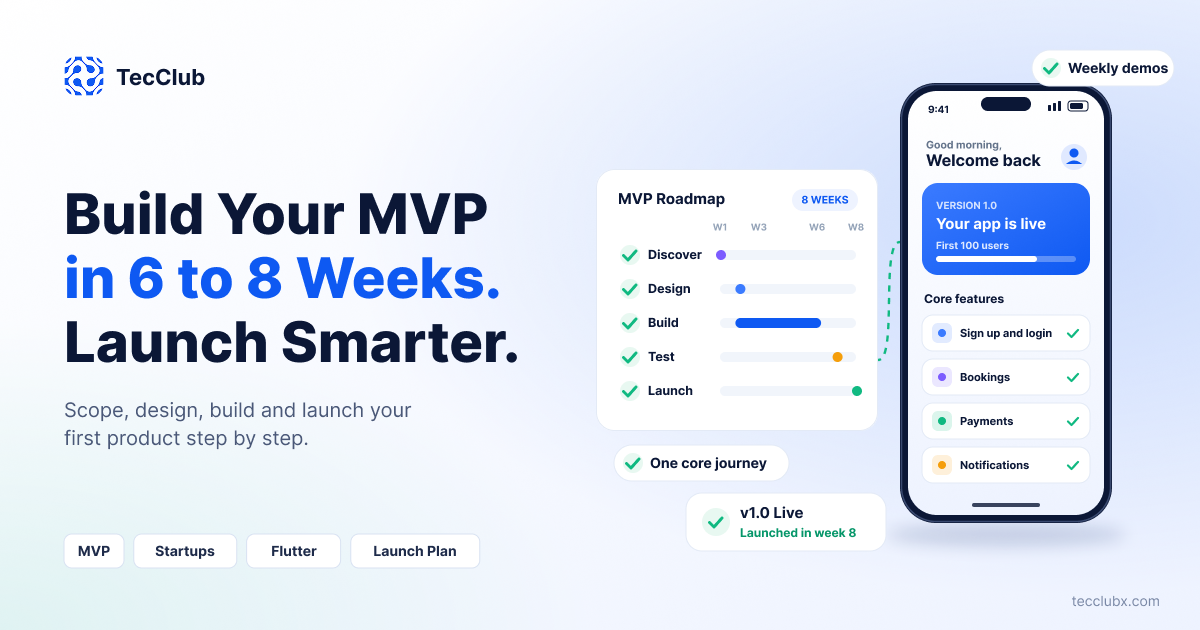
Many startup ideas never launch because the first version keeps growing. One more feature, one more screen, one more month. By the time the app is ready, the budget is gone and the market has moved on. A Minimum Viable Product (MVP) solves this problem. It helps you launch a focused first version fast, learn from real users and then build what they actually need.
At TecClub, we build mobile apps, web platforms and SaaS products for startups and businesses. In this guide, we share a simple plan to take your idea from a document to a live MVP in 6 to 8 weeks, which is under two months.
What Is an MVP (and What It Is Not)
An MVP is the smallest version of your product that solves the main problem for your users and lets you learn from them. It is not a demo and it is not a cheap, broken app. It should be simple, but it must work well.
- An MVP is one clear user journey, built properly, used by real people.
- An MVP is not a full product with every feature you can imagine.
- An MVP is not only a clickable design. A prototype is great for testing ideas, but an MVP is a real product people can use.
Why 6 to 8 Weeks Is the Right Target
Speed matters for a startup. The longer you wait, the more money you spend and the more your idea stays untested. With a tight scope, an MVP can go live in 6 to 8 weeks, which is under two months. If a plan needs much more time than this, it usually means the scope is too big for a first version.
Three things make this timeline possible: a very focused feature list, design and development running side by side, and ready-made services for things like payments, notifications and analytics instead of building them from zero.
The Week-by-Week MVP Plan
| Weeks | Phase | What happens |
|---|---|---|
| 1 | Discovery and scope | Define the problem, target users and the one core journey. Write the feature list and cut it down. |
| 2 | UX and UI design | User flows and final screens, plus a clickable prototype to test with a few real users. Backend setup starts at the same time. |
| 3 to 6 | Development | Build the app, backend and a simple admin panel in short sprints, with a demo every week. |
| 7 | Testing and beta | Fix bugs, test on real devices and share a beta with a small group of users. |
| 8 | Launch | Publish to the App Store, Google Play or the web, set up analytics and start collecting feedback. |
Week 1: Discovery and scope
This is the most important week. Answer three questions: Who is the user? What problem are we solving? What is the one action that proves the product works? For a booking app, that action may be "a user books and pays for a slot". Everything that does not support this action can wait.
Week 2: Design
Good design is not a luxury in an MVP. Users judge your product in seconds. Keep the design clean and simple, use standard patterns users already know, and test the clickable prototype with 5 to 10 people. While the screens are being designed, the development team can already set up the backend, database and project structure, which saves a full week.
Weeks 3 to 6: Development
Work in one-week sprints and review a working demo every week. This keeps everyone aligned and avoids surprises at the end. Build the core journey first, then the supporting features, and keep a simple admin panel so you can manage users and content without a developer.
Weeks 7 to 8: Testing and launch
Test on real devices and real networks, not only on a simulator. Run a short beta, fix the issues that block users, and then launch. If you are publishing a mobile app, submit it to the stores early in week 8, because store review can take a few days.
How to Choose the Right Features
The hardest part of an MVP is saying "not now". A simple way to decide is to sort every feature into two groups:
| Must have for launch | Can wait for version 2 |
|---|---|
| Sign up and login | Social login with many providers |
| The core feature that solves the main problem | Advanced filters and search |
| Payments, if the product is paid | Multiple pricing plans and coupons |
| Basic notifications | Detailed notification settings |
| Simple admin panel | Advanced reports and dashboards |
| Analytics and crash reporting | Dark mode, many languages, extra themes |
If a feature does not help the user complete the core journey, or does not help you learn something important, move it to version 2.
Choosing the Right Tech Stack for an MVP
Your MVP should be fast to build but also ready to grow. A few practical choices help a lot:
- Cross-platform apps: Frameworks like Flutter let you launch on Android and iOS with one codebase, which saves time and cost.
- A clean backend: A well-structured API from day one, so you can add features later without starting over.
- Ready-made services: Use proven tools for payments, push notifications, analytics and crash reporting instead of building them yourself.
- Simple, scalable hosting: Start small, but choose a setup you can scale when users grow.
Read more in our guides on how to choose the right tech stack for your app and creating cross-platform apps with Flutter.
What Affects the Cost of an MVP
Every MVP is different, so the cost depends on a few main factors:
- Platforms: Web only, mobile only, or both.
- Number of user roles: For example, customer, vendor and admin each need their own screens.
- Integrations: Payments, maps, chat, third-party APIs and so on.
- Design level: Standard UI or a fully custom brand experience.
- Real-time features: Live chat, tracking and live updates take more work.
The best way to control cost is a tight scope. A smaller, well-built MVP is always better than a big, half-finished one.
Common MVP Mistakes to Avoid
- Building too much: Adding "small" features until the MVP becomes a full product.
- Skipping user research: Building for an imagined user instead of talking to real ones.
- Ignoring quality: Minimum does not mean buggy. A crashing app loses users fast.
- No analytics: Launching without tracking means you cannot learn anything from your users.
- No plan after launch: The MVP is the start, not the finish.
What to Do After Your MVP Launches
Once your MVP is live, your job changes from building to learning. Watch how users move through the app, where they drop off and what they ask for. Talk to your first users directly. Then plan version 2 based on real data, not guesses. Many successful products changed a lot after their first launch, and that is exactly the point of an MVP.
Quick MVP Checklist
- The problem and target user are clearly written down.
- One core user journey is defined.
- The feature list is split into "launch" and "later".
- Designs are tested with a few real users.
- Weekly demos are planned during development.
- Analytics and crash reporting are set up.
- Store accounts and review time are planned.
- There is a plan to collect feedback after launch.
Frequently Asked Questions
How long does it take to build an MVP?
A focused MVP can usually be built in 6 to 8 weeks. Very simple products can be even faster, while products with many user roles or complex integrations may take longer.
Should I build a web app or a mobile app first?
It depends on where your users are. If your users need the product on the go, notifications or device features, start with mobile. If they mainly use it at work on a computer, a web app may be the better first step.
Can an MVP grow into a full product?
Yes, if it is built on a clean foundation. That is why we recommend a simple but well-structured codebase and backend, so you can add features without rebuilding everything.
What happens if the MVP does not work?
That is still a win, because you learned it early and spent much less than building a full product. Use the feedback to change direction, or test a different idea.
Have an Idea for an MVP?
TecClub helps startups and businesses turn ideas into real products, from discovery and design to development, launch and support. Share your idea and we will help you plan a focused MVP.
Timelines and costs in this article are general guidance. Every product is different, so the right plan depends on your idea, features and goals.