Why Custom DNS Makes Your VPN Truly Private — And How We Build It
Most people think a VPN protects everything they do online.
And for the most part, that’s true — your traffic is encrypted, your IP address is hidden, and your identity stays private.
But there’s one part of your online activity that often gets forgotten: DNS.
DNS is basically the internet’s “address book.”
Whenever you type a website name, DNS looks up where that website actually lives.
And here’s the surprising part:
Traditional DNS is often not encrypted. That means your ISP, a café Wi-Fi network, or even a nearby hacker can still see which websites you're looking up — even if they can’t see what you do on those sites.
That’s why modern VPNs are starting to rely heavily on Custom DNS, a security layer that keeps your browsing private from beginning to end.
At TecClub, we’ve made Custom DNS a core part of every VPN we build. It’s one of those features most users never think about, but it makes a massive difference.
Let’s walk through why it matters — in simple, human terms — and how we actually implement it.
What DNS Really Is — And Where the Risks Come From
Think of DNS like asking a librarian for a book.
You tell them the title (“google.com”) and they tell you where it’s located.
The problem?
If someone is standing nearby, they can overhear every book you request.
That’s how traditional DNS works:
-
It’s usually not encrypted.
-
Your ISP can see every domain you look up.
-
Public Wi-Fi networks can log your DNS activity.
-
Attackers can hijack DNS and send you to fake websites.
So even with a VPN on, if DNS isn’t protected, your privacy isn’t complete.
This is exactly the gap Custom DNS fills.
How Custom DNS Protects You
When your VPN uses its own private DNS instead of your ISP’s, a lot of good things happen automatically — and instantly:
1. No DNS Leaks
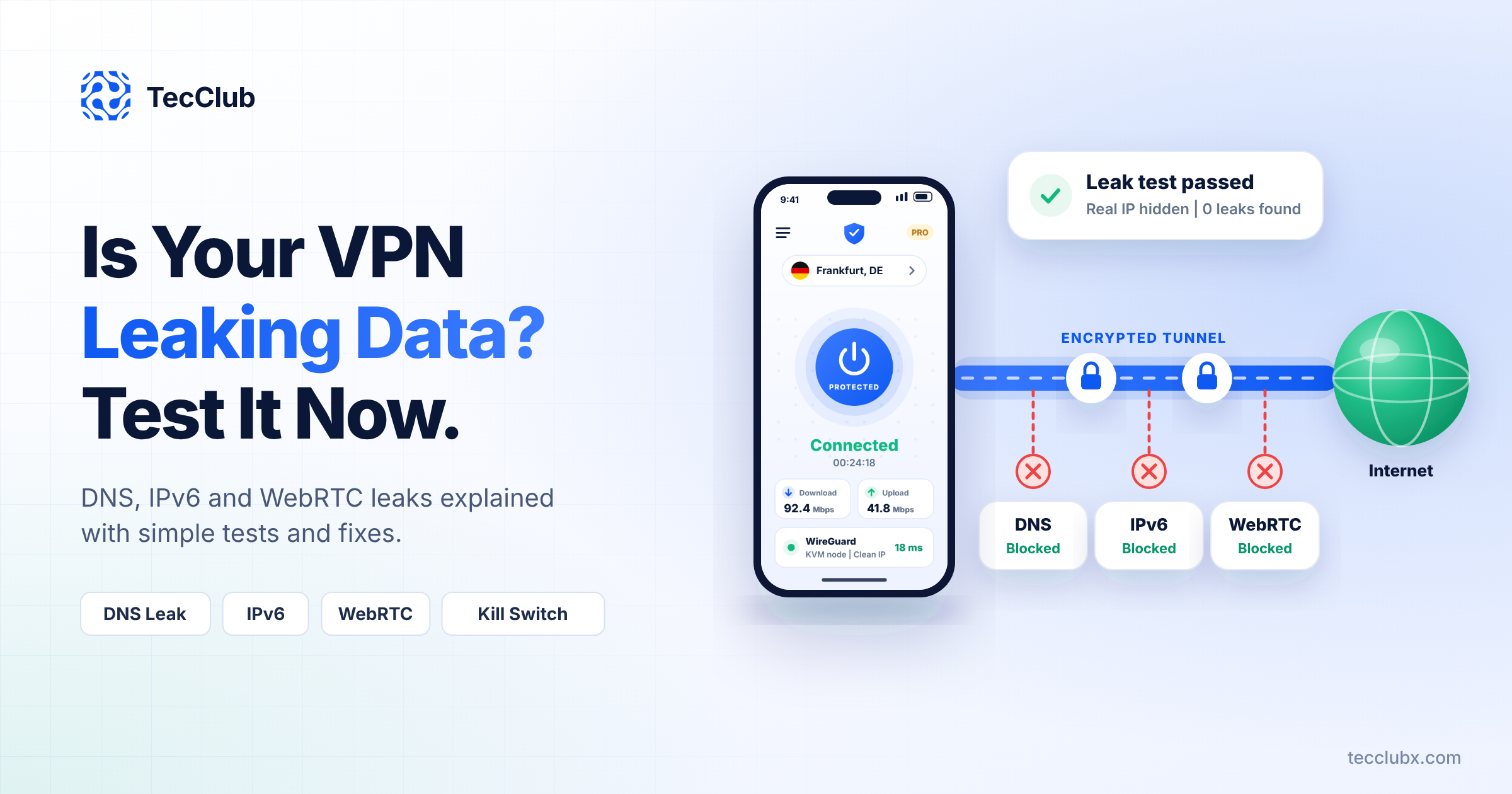
Every DNS request stays inside the encrypted tunnel, where no one can spy on it.
2. Protection Against Fake Websites
Custom DNS prevents hijacking attempts where attackers try to redirect you to dangerous or counterfeit sites.
3. Faster Website Loading
Our DNS servers are optimized and closer to users, so websites resolve quicker and browsing feels snappier.
4. Built-In Filtering
Custom DNS can automatically block:
-
ads
-
trackers
-
malware
This stops threats before they even reach your device.
5. Real Privacy
No logs.
No snooping.
No “hidden tracking.”
Your DNS requests disappear the moment they’re resolved.
This is what real VPN privacy looks like.
How We Build Custom DNS Into Our VPN Apps
Creating a secure DNS system doesn’t just happen by flipping a switch. We engineer it carefully so it works seamlessly across all devices.
Here’s how we do it:
1. Encrypted DNS (DoH & DoT)
Even inside the VPN tunnel, DNS requests are encrypted again with DNS-over-HTTPS or DNS-over-TLS.
It’s like adding a lock inside another lock.
2. Private, Secure DNS Servers
We run isolated DNS resolvers that:
-
never store logs
-
are protected behind firewalls
-
resolve domains fast
-
scale globally
Users get speed and safety together.
3. Works With Every Protocol
Whether the user connects with:
-
WireGuard
-
OpenVPN
-
IKEv2
-
Shadowsocks
-
VLESS / VMess
-
Sing-Box
…DNS stays protected.
4. Optional Filtering
Users can turn on:
-
Family-safe mode
-
Malware blocking
-
Ad blocking
-
Performance DNS
It’s privacy with flexibility.
5. Continuous Leak Protection
Our apps automatically check for:
-
DNS mismatches
-
System overrides
-
Unsafe fallbacks
If anything looks wrong, the VPN fixes it before the user even notices.
A Quick Real-Life Example
Let’s say you connect to free airport Wi-Fi.
Even with a VPN on, the network could still see your DNS requests.
That means they can guess which websites you plan to visit.
But with Custom DNS:
-
the DNS requests are encrypted
-
the router can’t read them
-
attackers can’t hijack them
-
nothing leaks outside the tunnel
It’s the difference between thinking you’re safe and actually being safe.
Why Every VPN Brand Needs Custom DNS
If you’re building a VPN service, Custom DNS isn’t just a “nice to have.”
It’s one of the features users rely on without realizing it.
Benefits include:
-
Better security reputation
-
Stronger privacy guarantees
-
Faster website load times
-
Protection against hijacking and tracking
-
Higher user trust
It’s one of the most impactful upgrades a VPN can offer — quietly but powerfully.
Final Thoughts: Custom DNS Is the Missing Piece of Real VPN Privacy
A VPN without Custom DNS still leaves small cracks in your privacy.
A VPN with Custom DNS closes those cracks completely.
That’s why at TecClub, we build VPN apps with:
-
private DNS
-
multi-protocol support
-
kill switches
-
split tunneling
-
smart server routing
-
zero-log architecture
— all working together to keep users fully protected.
If you’re building your own VPN brand, Custom DNS isn’t optional anymore.
It’s the foundation that makes the rest of the security system actually work.